Leftover scraps: generate climbing volumes from offcuts
Leftover plywood from earlier projects does not have to become firewood. In VOLUME you photograph or draw offcuts, then Generate from scraps builds a climbing volume whose panels fit those leftovers — with a clear map of which face comes from which coded piece.
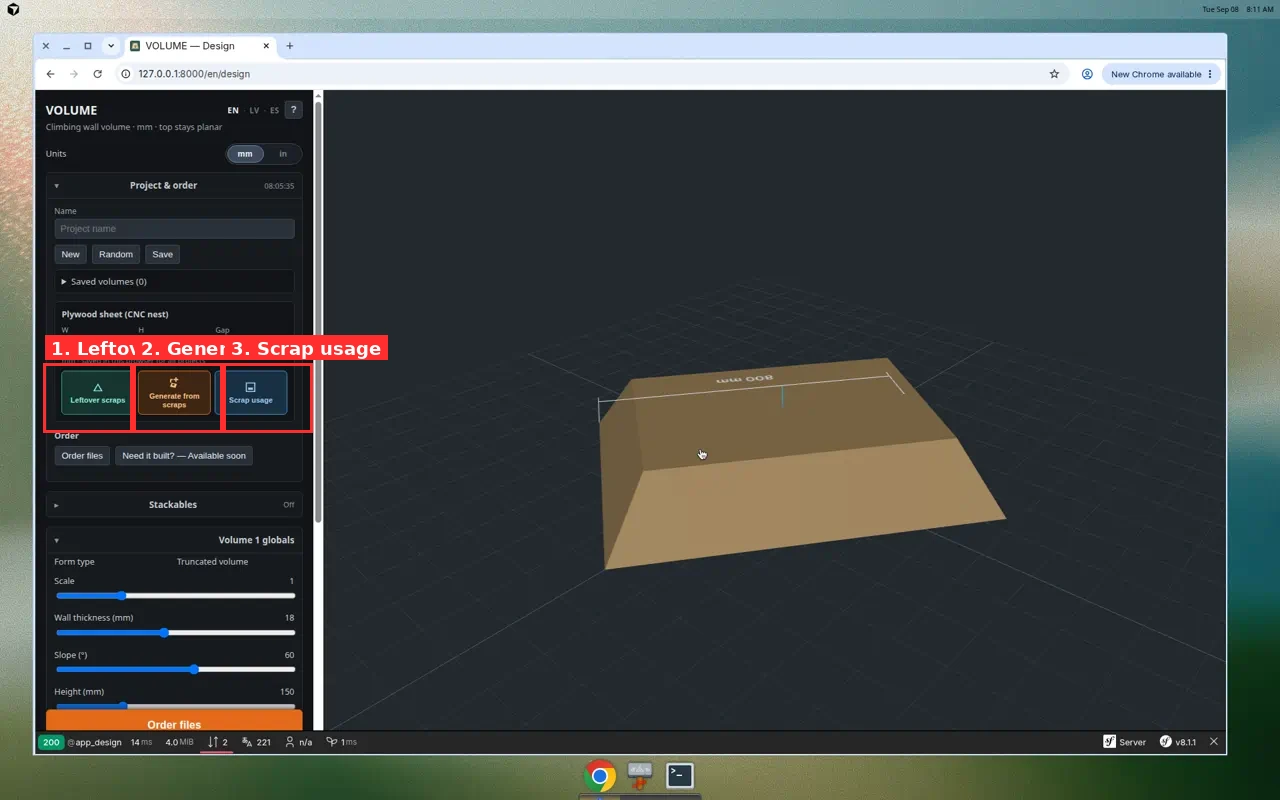
Where the buttons are
Open /design. In the left panel expand Plywood sheet (CNC nest). Directly under W / H / Gap you get three icon buttons:
- Leftover scraps (green) — catalog: add photos or draw blanks
- Generate from scraps (orange) — invent a form that fits the catalog
- Scrap usage (blue) — unfold showing how much of each leftover is used
These are separate from sheet Preview nesting (packing panels onto a full plywood sheet). Scrap tools pack panels into offcut polygons you already have.
Step-by-step: catalog leftovers
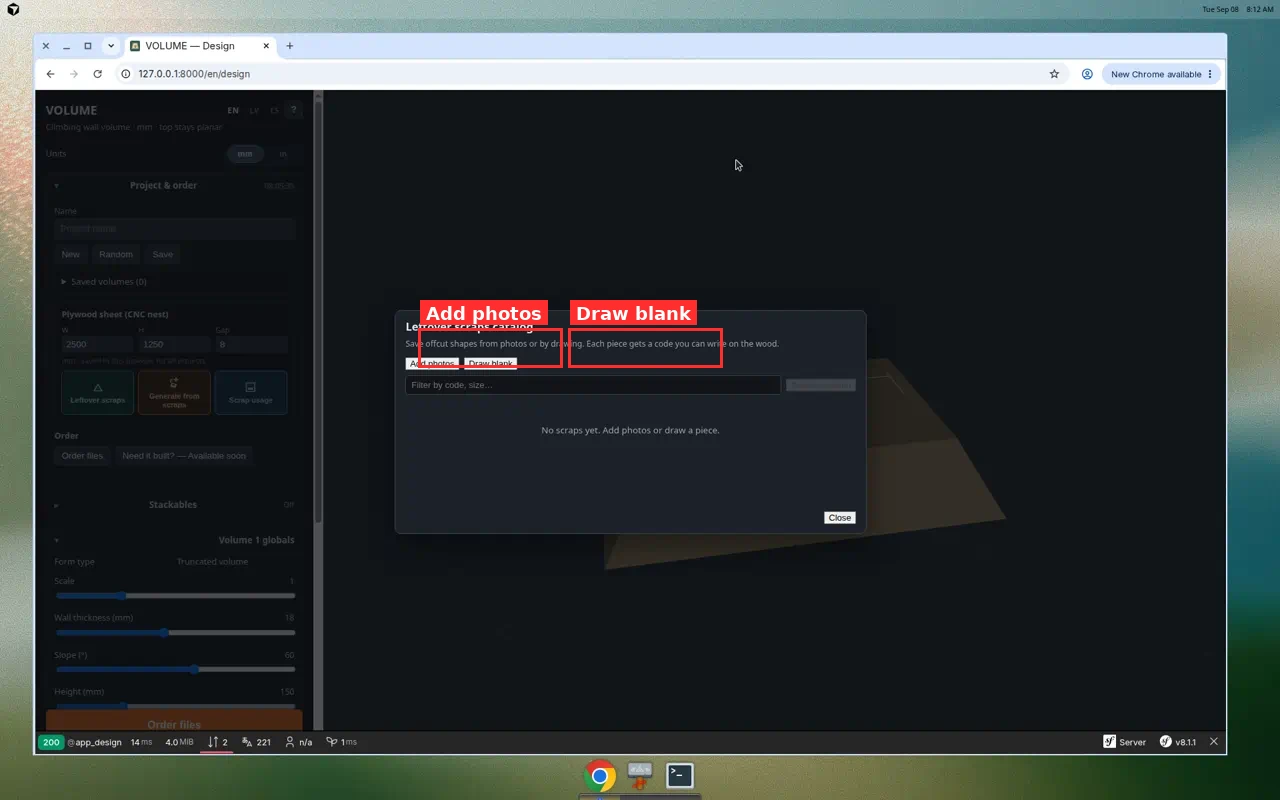
1. Open the catalog
- Click Leftover scraps.
- The Leftover scraps catalog opens. Pieces are stored in this browser (localStorage) and keep a code you can write on the wood.
2a. Add from photos
- Click Add photos and select one or more pictures of offcuts.
- Calibration — click both ends of a measured edge, enter its real length.
- Draw shape — click usable corners (triangle, quad, pentagon…). Close on the first yellow point or Close shape.
- Set Code (e.g. A1) and Thickness, then Save & next through the queue.
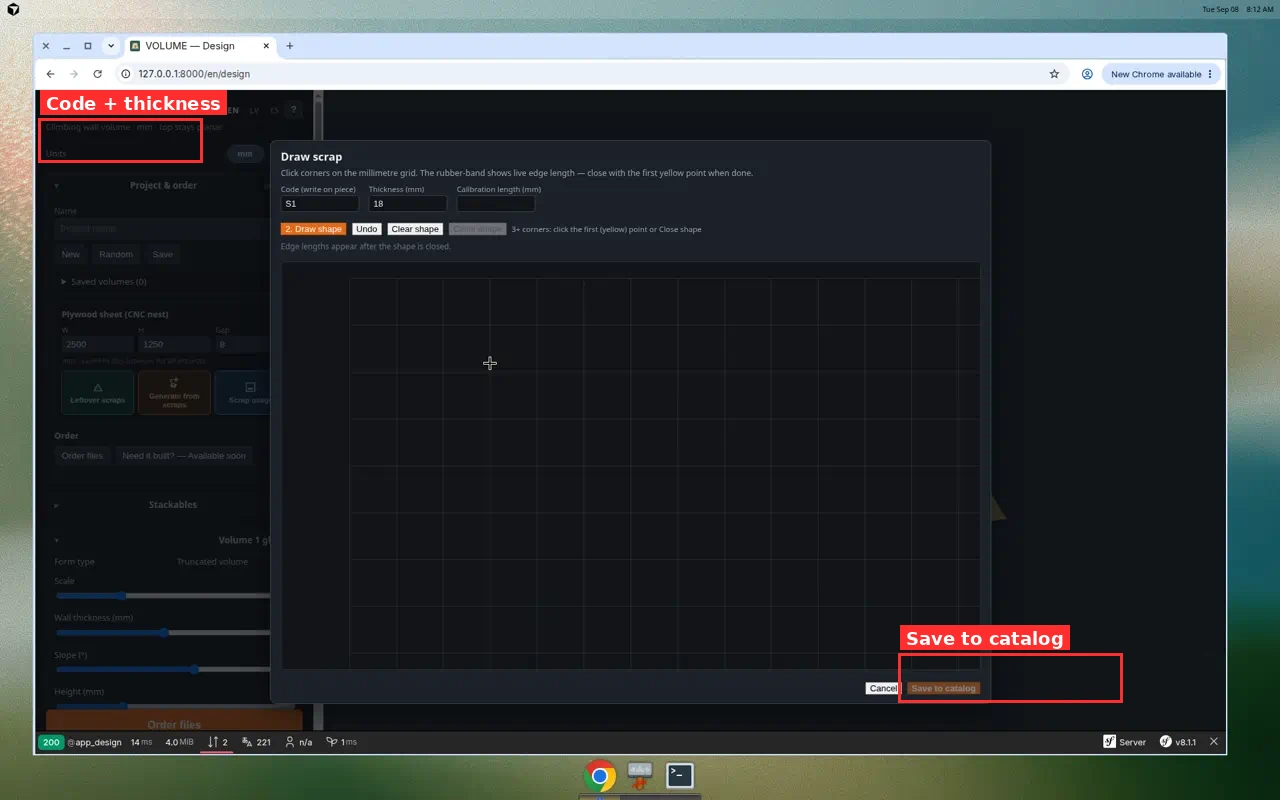
2b. Draw blank (no photo)
- Click Draw blank.
- Click corners on the millimetre grid. Close the polygon.
- Enter code + thickness → Save to catalog.
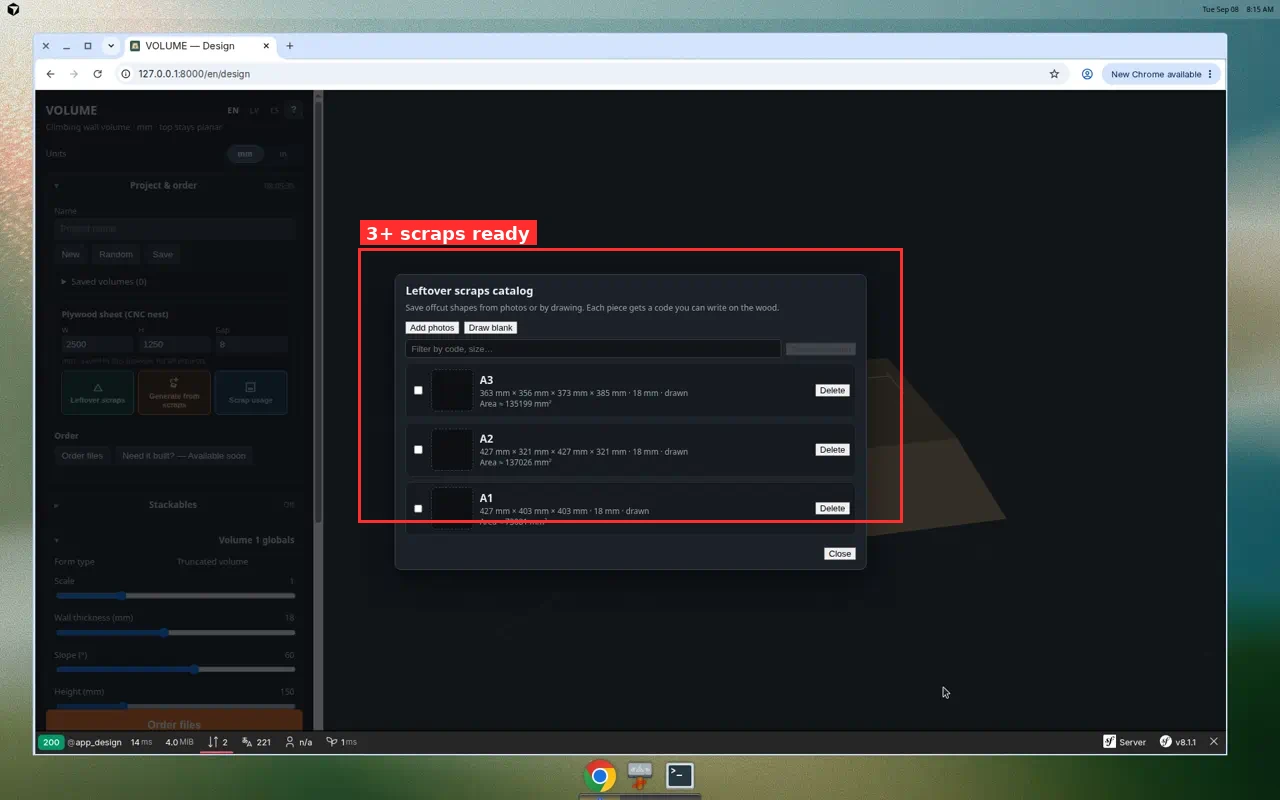
You need at least three scraps before generation will run.
Step-by-step: generate a form
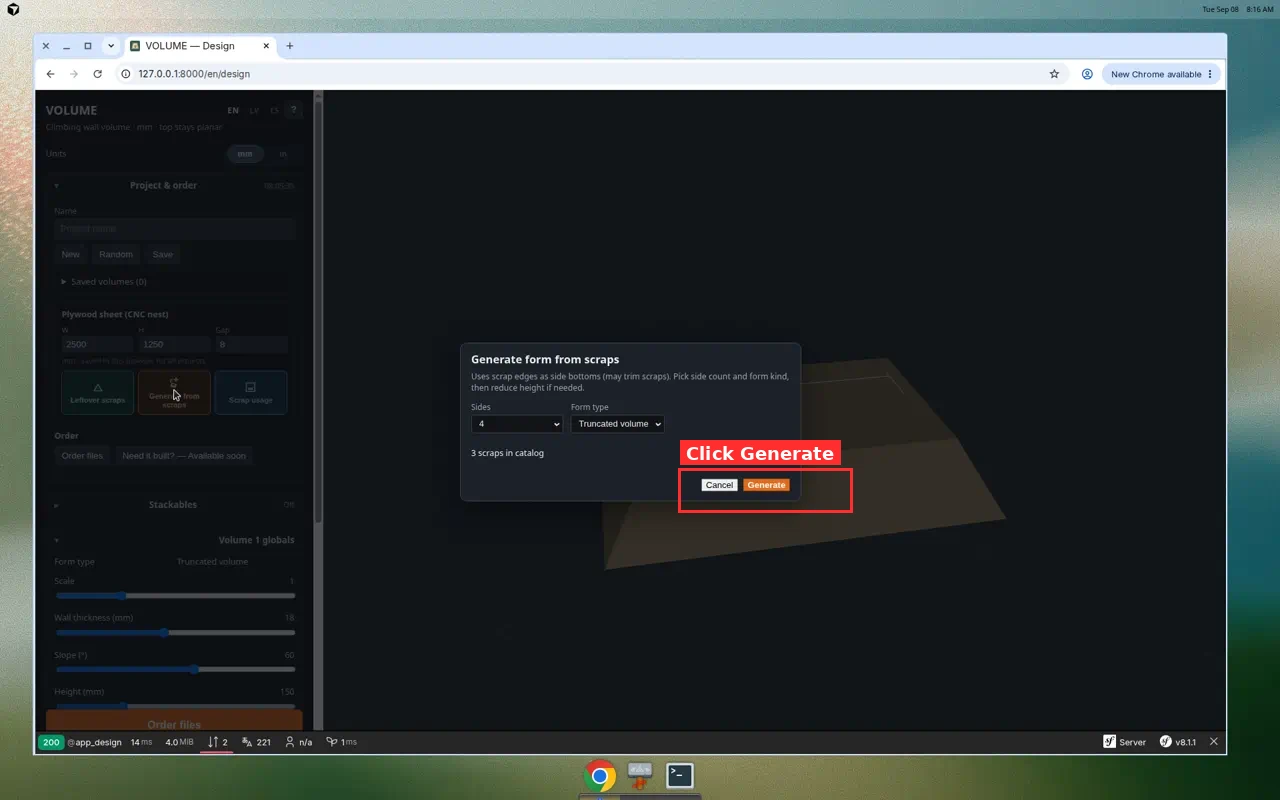
- Close the catalog (or leave it) and click Generate from scraps.
- Choose Sides (3–5) and form kind (Truncated volume or pyramid).
- Click Generate. VOLUME uses scrap edges as side bottoms (scraps may be trimmed) and packs the top panel into remaining space.
- If needed, lower Height to leave more unused scrap.
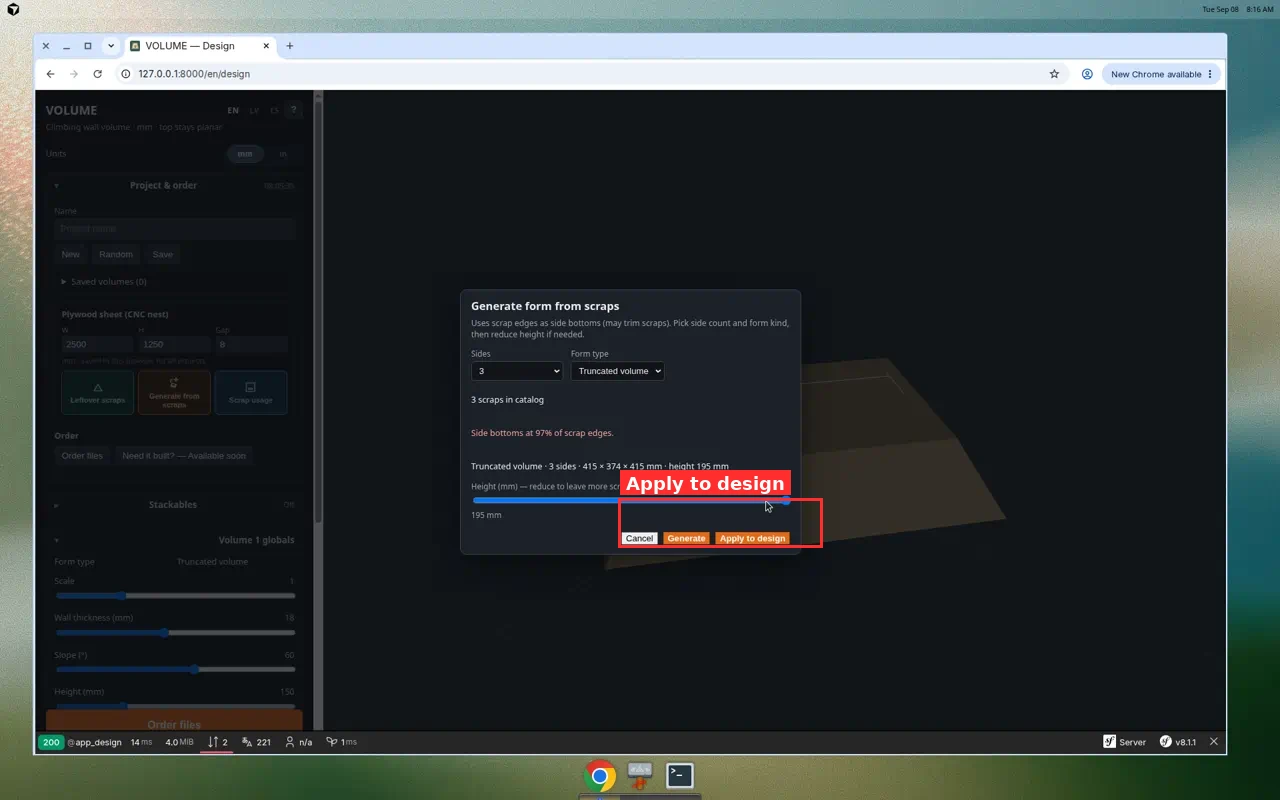
- Click Apply to design to load the form into the 3D editor.
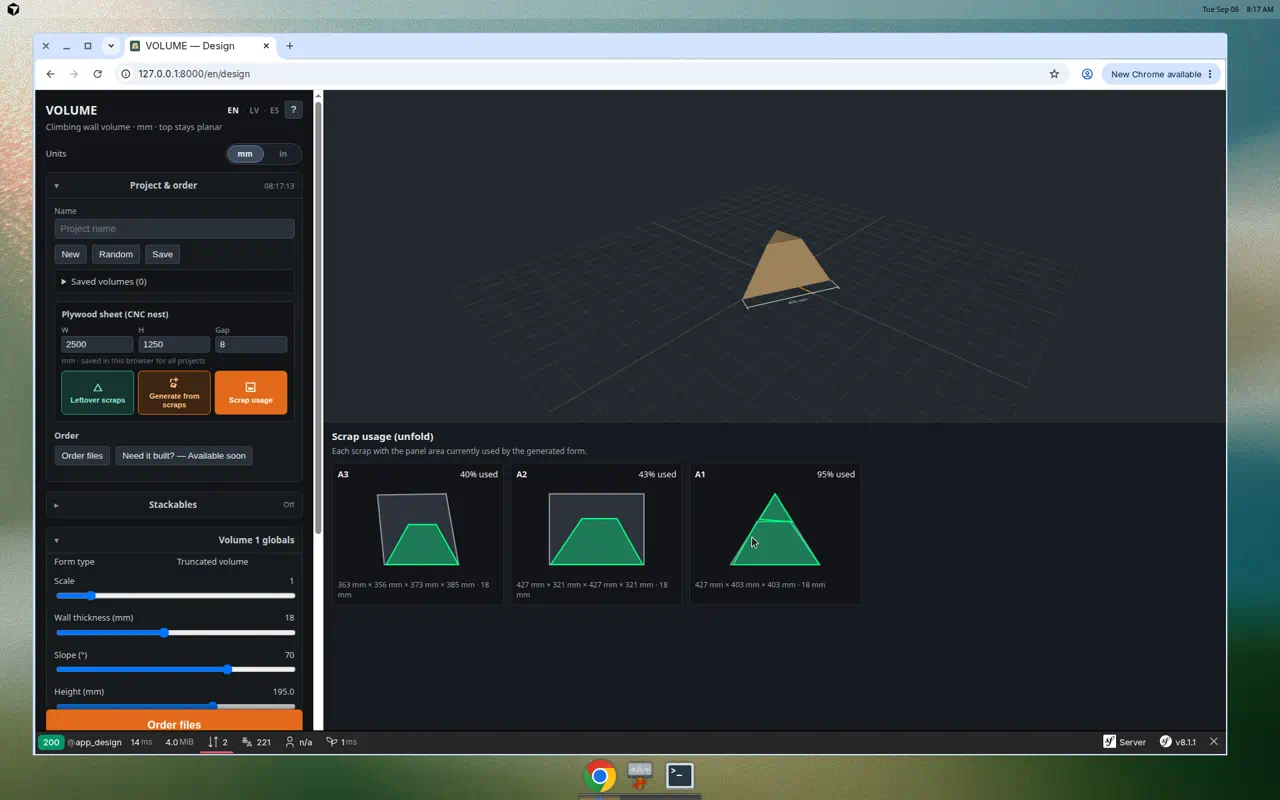
Scrap usage map
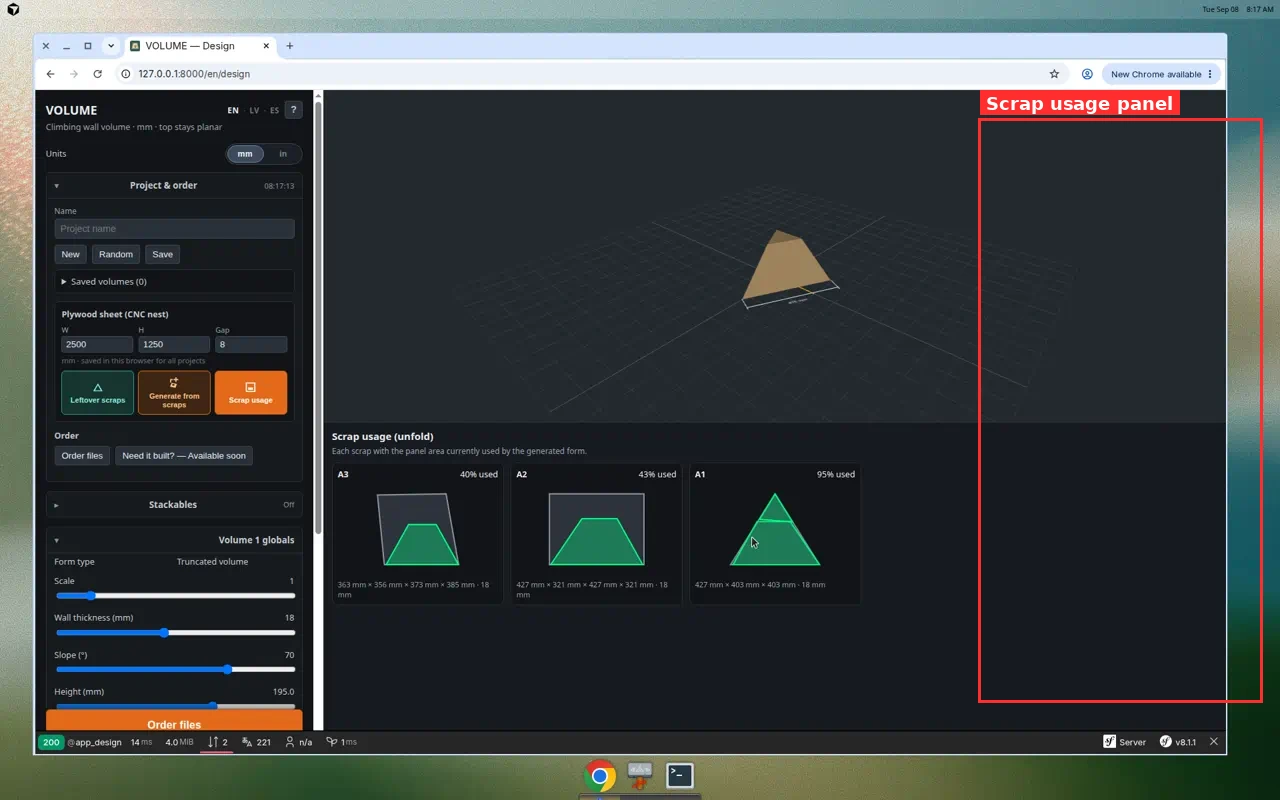
Toggle Scrap usage to see where every panel is cut from. Write the same codes on the physical offcuts. Corner-mark printouts can include Cut from leftover {code} so the shop floor matches the catalog.
Workshop tips
- Prefer triangular leftovers for side panels — packing uses long edges as bottoms.
- Keep thickness consistent across scraps unless you intentionally mix materials.
- Filter the catalog by code when the pile grows.
- After apply, still use normal exports (print pattern, cut list, CNC nest) for any panels that do not fit scraps.
FAQ
Why does Generate say I need more scraps?
You need at least three catalog entries. Add more with Draw blank or Add photos.
Is this the same as nesting on a full sheet?
No. Sheet nesting packs onto W×H plywood. Scrap tools fit panels into irregular leftovers you already cut.
Can I build a logo set from scraps?
Scrap generation creates one form from leftovers. For multi-piece logo formations, use the base layout guide, then nest or cut those panels with your usual workflow.
Try it: Open the designer → green Leftover scraps → add three pieces → orange Generate from scraps.